

In view of my reputation in the company, outside of work, I often help colleagues solve some computer problems. I have seen a lot, and there are also some weird failures, such as what I encountered today.
In view of my reputation in the company, outside of work, I often help colleagues solve some computer problems. I have seen a lot, and there are also some weird failures, such as what I encountered today.
Nodion domain name has been registered since 2014. It is estimated that VPS has been opened not long ago.
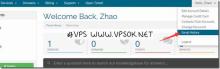
There are often readers who have purchased a VPS and don’t know if it has been activated, or they don’t know how to reinstall it after it has been activated, or where the management panel is, etc., so I will make a record specifically on this type of issue. One is to facilitate the understanding of novice friends. , and the other is that if friends ask again, I can easily provide the link directly, which will get twice the result with half the effort.

Dbank (Data Bank) is a very excellent network file synchronization software (service) produced by Huawei. 5G capacity is now provided for free, and a single file uploaded does not exceed 100M.

SemoWeb is an American VPS hosting provider established in 2008. In the past few years, it has provided unpopular VPS in Orlando, Dallas and other places, and the Good VPS Tribe has introduced it many times. In 2012, the Los Angeles data center was added. It is based on the second-generation VZ architecture, and the minimum configuration starts at only US$3.49 per month.

QuickWeb is a foreign VPS hosting provider that has been established for more than 7 years. The introduction of Good VPS Gathering started in 2011 and has not been shared for more than a year.

ioZoom is a foreign VPS hosting provider founded in 2015, headquartered in Houston. It provides products based on the KVM architecture. The merchant divides the products into VPS-Cloud, VPS-Linux, VPS-Windows and other series all use SSD hard drives and include free 10Gbps DDoS protection.

InterServer is a reliable and established foreign VPS hosting provider. The products it provides include hosting, VPS, independent servers, etc. The company was founded in 1999, with data centers in Los Angeles , New Jersey, etc. , domestic access speed is good.
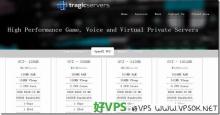
After looking at it, this should be regarded as the biggest discount for Tragicservers after changing owners in April 2017 (not to mention the previous price was lower). This company was established in 2012.

Fengyun Host is a VPS brand established by Global Host Forum A. It provides Linux and Windows system VPS based on XEN architecture (different systems are in different hens).