
VPSlices: £4.5/quarter OpenVZ-512MB/25G SSD/1TB Russia & New Jersey
VPSlices is a foreign hosting provider established in May this year.

ISPConfig: Free Hosting Management Panel
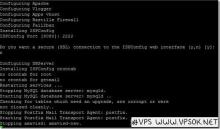
This is not the first time that readers have mentioned this ISPConfig. Good VPS has also searched for some information about this panel several times. It seems that the step-by-step installation process by yourself is more troublesome, especially for an environment like Good VPS that just relies on copying and pasting. It is more difficult for people to operate. However, during the search, I found a one-click installation script published by a foreign netizen.

TuneVPS: $25/year KVM-1GB/20GB/1TB Phoenix

TuneVPS is a foreign VPS hosting provider established in 2014. The introduction of Good VPS Gathering began in 2015.
smmsweb.com USA 300M-1.2G free DA panel space

smmsweb.com is a free space in the United States. The main feature of this free space is that it requires forum registration to post.
HOSTINGINSIDE:$7/monthXEN-256MB/128MB/10GB/250GB Los Angeles & London

HOSTINGINSIDEThe main website is located in Canada. The domain name has been registered since 2004. However, the webpage is relatively simple and there are not many things introduced on the main page. It is estimated that it has not been engaged in IDC business.
VIRPUS 30% off: $1.5/monthXEN-512MB/15GB/1.5TB/Seattle computer room

VIRPUS today released a new 30% off discount code on LET, applicable to Linux or Windows SSD series hosts. This is an old foreign VPS host company established in 2006. It is affiliated to the site of Wowrack Computer Room.
How to fix forgotten wordpress password

Yesterday I installed a new WP in the GD space. After I installed it in a hurry, I left because of something. The default password specified by the system was still the default password specified by the system. Later, when I tried to log in to the backend to check, I found that I forgot to copy and save the password and did not change it. What should I do? If you search online, there is still a way.
Enter the database where WordPress is located and execute the SQL command:
“update user set password=password(“new password”) where user=”username”;”